
Your first order starts with one clear choice
You do not need a large haul to learn the process. Begin with an item whose size, colour and purpose you can describe.
Continue through the purchase
Build the list and use the cleanerFees, QC, shipping and trackingHelp Center and FAQ
Build the list and use the cleanerFees, QC, shipping and trackingHelp Center and FAQ
How to use the Hoobuy Spreadsheet
- Use a category or the product search to find an item you want.
- Open the product and source listing. Compare dimensions, materials, chosen options and seller terms.
- Record the product URL, size or version, colour and quantity. Two different sizes from one listing are two intended choices.
- Use the link cleaner if you have collected several URLs, then keep a copy of the result with your option notes.
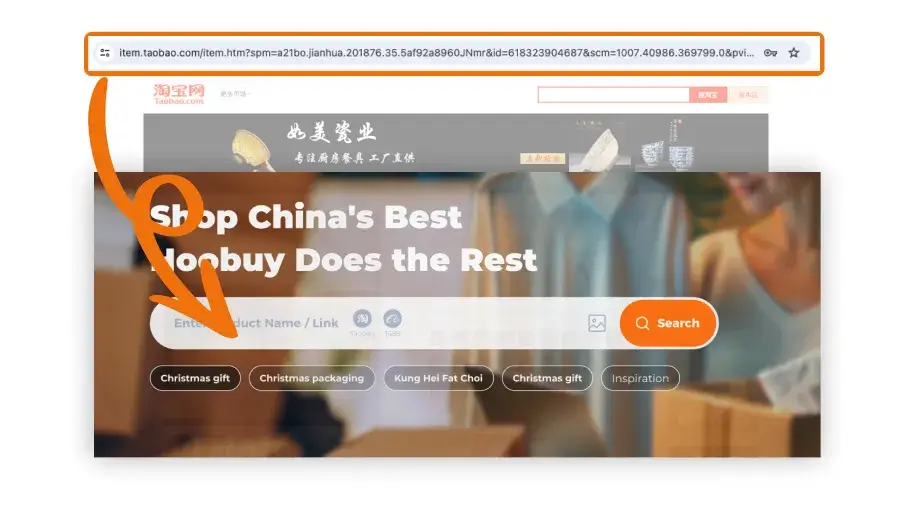
- Take the selected product link into your Hoobuy account to begin the purchase. The Spreadsheet and cleaner do not place orders.
Check the listing before the cart
- Open the item and its seller page. Read recent, product-specific feedback and after-sales information.
- Compare measurements with a similar item that fits. A size letter by itself is not enough.
- Record the precise colour or version, size and quantity. Keep a screenshot if the option is shown only as a picture.
- Check whether the product type can use a suitable route to your destination. Batteries, liquids and unusual dimensions deserve attention before buying.
How to use Hoobuy: place the purchase order
- Use your Hoobuy account and paste the source product link into the product search.
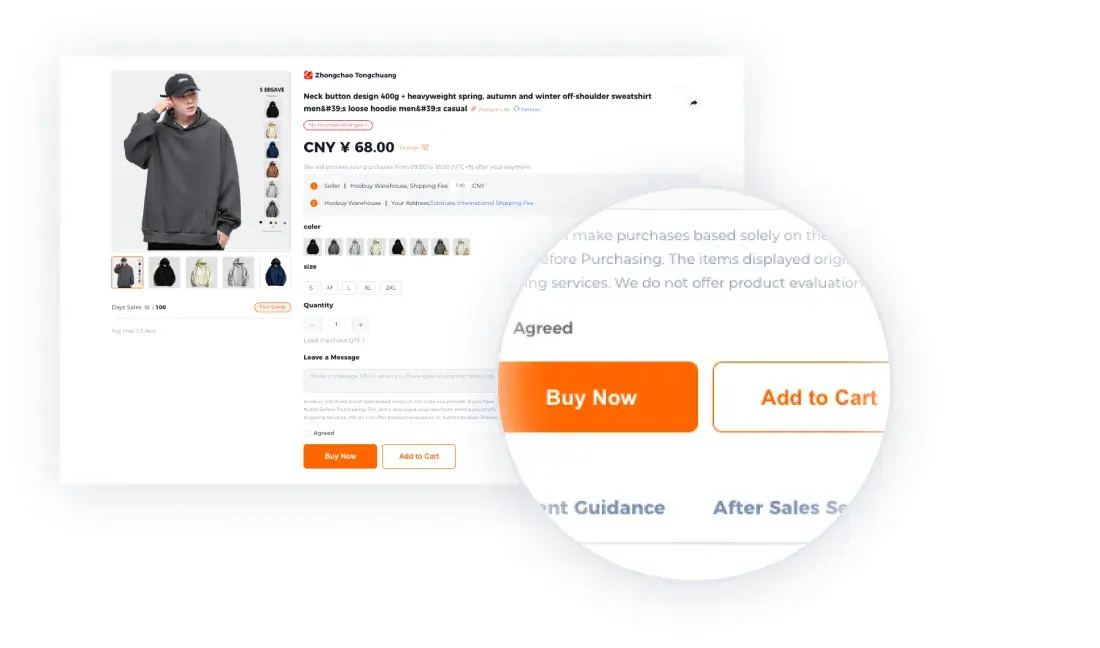
- Compare the imported listing with the seller page. Select the intended options, or ask for clarification if they are missing.
- Review the item price, Chinese domestic delivery and displayed payment or service charges. Pay only when the request is correct.
- Save the order reference with your list. Use the order enquiry option if the purchase needs clarification.
After the seller sends it
Watch the order state until warehouse receipt. In your account’s Warehouse area, compare the available photos with the saved variant. An incorrect item or missing view is a reason to contact support before arranging the parcel.
Shopping precautions before you pay
- Confirm the exact option, quantity and measurements with the seller listing; photos may show several versions.
- Check the seller’s return terms and any return postage before ordering. Once an item ships overseas, resolving a return is usually more involved.
- Check route eligibility before buying liquids, battery items or unusually large goods.
- Keep money aside for the international parcel and possible destination charges.
- Save order references and resolve missing or incorrect goods before submitting the parcel.