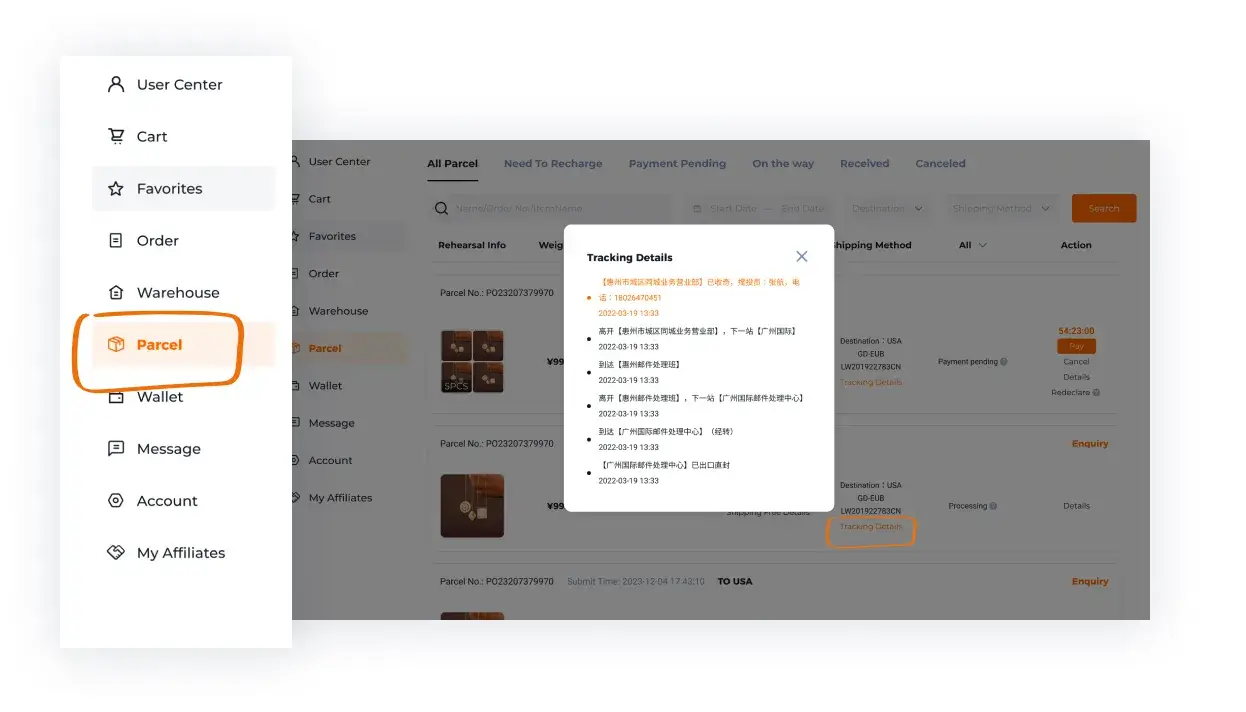
Follow the orders, then build the parcel
Track each seller purchase separately until it arrives. You can make the shipping decision once the warehouse items and their condition are clear.
Match each arrival to its order
Keep the Hoobuy order reference beside the product URL and variant. A purchase confirmation, a seller dispatch and warehouse receipt are different events. If one item is delayed, ask from that order instead of assuming the whole list has stalled.
Hoobuy fees: what belongs in the full cost
At purchase, check item price, delivery within China and all displayed charges. At shipment, check the selected international line, packing and any optional services. Destination taxes or carrier charges may need their own allowance.
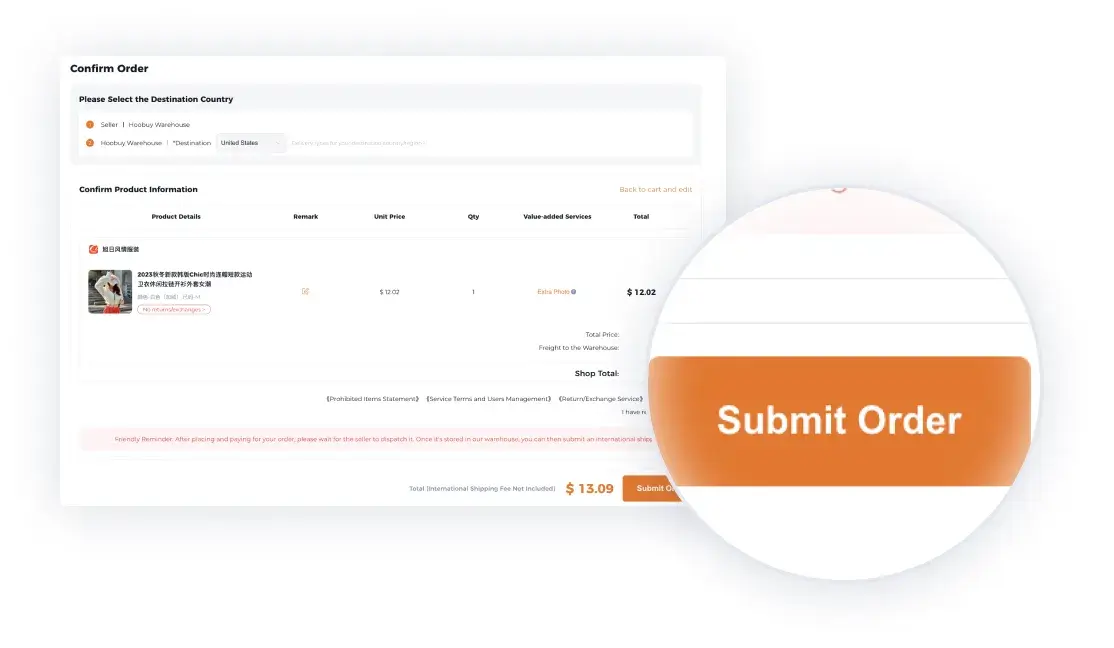
Check currency conversion before payment
Compare the final payable currency as well as the yuan subtotal. Card conversion and payment charges can change what leaves your account. Record what you actually paid; do not reuse another shopper’s exchange rate.
What QC means for a multi-item order
QC is the available inspection record and photographs for a warehouse arrival. Treat it as a check of one received item, tied to its order reference. A clear photo of one seller’s item says nothing about another item still waiting to arrive.
The record can help you compare quantity, visible option and condition. It does not guarantee authenticity, fit or internal function. Keep an unresolved item out of the parcel decision until you have the information you need.
How to check Hoobuy QC photos
Find the received item in your Warehouse area. Match its quantity, colour and size label to the order, then look for visible damage or the details you requested. Ask for a close-up or measurement with named endpoints when the existing view does not answer the question.
If you want a return or exchange, raise it from the order while the item is still in the warehouse. Ask about eligibility, timing, seller approval and return delivery cost before choosing an account action. QC photos do not test every internal function or prove authenticity.
Keep your own decision checklist
0 of 5 decisions recorded locally
This is a temporary planning checklist. It does not connect to your account or change an order state.
Hoobuy shipping: packing and choosing a route
Select the items that are ready. Decide whether a shoebox, extra protection or separate packing is needed for the goods. Check the resulting weight and dimensions, destination, item restrictions and declared information. A combined parcel can be convenient, but compare its quote with the available alternatives.
Read the complete line description: price, expected transit range, tracking, compensation terms and any destination handling requirements. Use the actual parcel quote before paying international delivery.
From dispatch to receiving the package
Keep the parcel ID and carrier tracking number. Check the latest scan before sending an enquiry. If a parcel appears stuck, send Hoobuy the last event, date and destination; if delivery is being attempted locally, follow the carrier’s instructions.
On arrival, compare the contents with your packing list. Keep packaging and photographs if something is missing or damaged, then use the applicable claim route promptly.